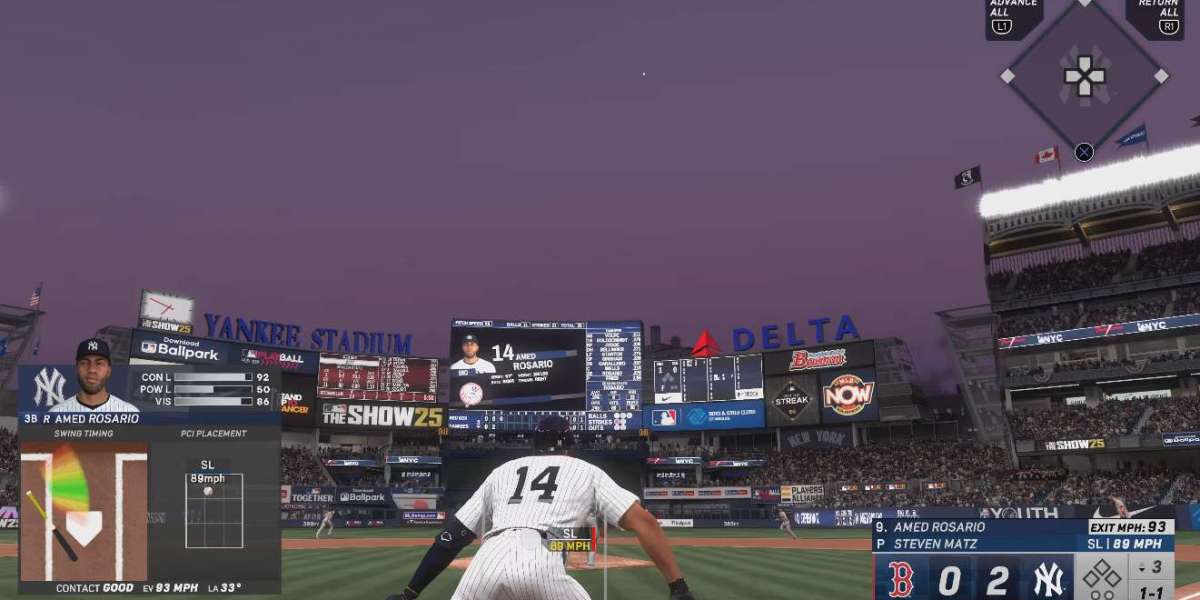

If you're serious about mastering MLB The Show 26, getting your controller settings right can make all the difference. Whether you're a seasoned player or just starting, adjusting the controls to match your playstyle can help you get an edge. In this guide, we’ll break down the best controller settings for MLB The Show 26, focusing on practical adjustments that make a noticeable difference during gameplay.
What Are the Essential Settings in MLB The Show 26?
The settings that truly affect gameplay can be categorized into a few main areas: batting, pitching, fielding, and base running. Every player has their own preferences, but there are a few universal adjustments that can benefit almost anyone.
Batting: How Can I Improve My Timing and Accuracy?
Batting in MLB The Show 26 is about more than just pressing buttons. The timing of your swing and your ability to read pitches are key. A few setting tweaks can make your batting experience much more comfortable.
Batting Interface:
Zone Hitting: This is the most advanced option for experienced players. It allows you to move the batter’s cursor around the strike zone, making your swings more precise. The key to success with Zone Hitting is learning how to react to different pitch types and locations.
Directional Hitting: For those who prefer a simpler approach, Directional Hitting is a good option. You don’t have to move the cursor. You just need to focus on timing and pressing the button when the pitch is in the ideal spot.
Hitting View: The camera angle plays a massive role in how you perceive pitches. Many players prefer a "Strike Zone" or "Wide" view for hitting. These give you the best look at pitch movement. It’s a good idea to experiment with these settings and find which one feels the most natural for you.
Swing Settings:
Button Swinging: This is the classic method of swinging, where you press a button to swing the bat. It’s reliable and simple, especially for beginners.
Analog Swinging: This option uses the right stick to control the swing’s power and direction. It can feel more intuitive, but it requires practice to master. The best advice is to start with Button Swinging and switch to Analog if you want more control.
If you find yourself constantly missing good pitches or struggling to make solid contact, tweaking your swing timing in the settings can help. Adjusting Swing and Contact Timing to "Late" or "Early" can allow you to better sync up with pitches.
Pitching: How Do I Control My Pitches More Effectively?
Pitching is where you’ll find one of the biggest skill gaps between players. Whether you’re trying to strike out batters or work the corners, your pitching settings will make a huge difference.
Pitching Interface:
Pulse Pitching: This is a fan-favorite because it gives you a visual aid during pitches. The pulse expands and contracts around the target, and you need to release the button when it’s at its smallest. It adds an extra challenge, but also gives you more control over pitch accuracy.
Classic Pitching: If you prefer a simpler experience, Classic Pitching is a great option. You just choose your pitch, then aim and throw. It’s less complex, but it can be easier to maintain control over your pitches.
Pitching Camera Angle: Similar to batting, your camera view will have a big impact on how well you can execute your pitches. A common choice is the "Pitching View," which allows you to clearly see your pitcher’s motion and the batter’s location. It’s the most consistent for most players.
Pitching Meter Speed: This controls the speed at which the pitch meter fills up when you're using Pulse or Meter Pitching. If you find the pitching meter too fast or too slow, you can adjust this setting. Slower speeds allow for more precision, while faster speeds make for a more challenging experience.
Pitch Selection: One of the best things about MLB The Show 26 is how varied pitchers’ arsenals are. It’s important to choose a pitcher who fits your preferred style. Some players prefer a big fastball or breaking pitches, while others might focus on mixing up pitch types.
Fielding: How Do I Make the Best Plays in the Field?
Fielding is about reacting quickly and making the right decisions. You can improve your fielding performance by adjusting a few settings to better suit your playstyle.
Fielding Interface:
Auto Fielding: If you’re new to the game, turning on Auto Fielding might be a good idea. The game will automatically control your fielder, allowing you to focus on positioning and timing.
Manual Fielding: For more control, switch to Manual Fielding. You will be in charge of moving your players around, but this gives you the freedom to make more precise plays.
Throwing Meter Speed: The throwing meter speed controls how quickly the indicator moves when you’re making a throw. Adjusting this to suit your reaction time can help you get the ball to its destination faster. For fast players, increasing the speed can help them react more quickly.
Fielding Camera Angle: This one is all about comfort. "Dynamic" and "Outfield" views are the most common, but it’s really about what you feel gives you the best perspective for tracking balls.
Base Running: How Can I Steal Bases and Score More Often?
Base running can feel a bit like a mini-game within the game. It requires quick reflexes and an understanding of when to take risks. These controller settings can help you improve your speed on the basepaths.
Base Running Interface:
Classic Base Running: This interface is good for players who want a simple and familiar base running experience. You’ll need to control each runner individually and use the left stick to direct them.
Auto Base Running: If you prefer not to worry about base running, this mode allows the game to control the runners for you. It’s perfect for players who want to focus solely on pitching and batting.
Lead-Off and Stealing Settings: You can change how far your runners will lead off when they’re on base. For example, adjusting the "Lead Off Aggressiveness" can make it easier to steal bases if you’re an aggressive player.
Base Running Camera: Just like fielding, the camera angle here matters. For most players, the "Base Running Camera" works best. It allows you to see your base runners and plan your moves with greater clarity.
How Do I Fine-Tune Other Gameplay Settings?
In addition to the core settings for batting, pitching, fielding, and base running, there are a few other tweaks you can make to improve your overall experience.
Difficulty: If you’re struggling with the default difficulty level, consider lowering it to give yourself a better chance to succeed. Gradually increasing the difficulty as you improve will help you progress without feeling overwhelmed.
Gameplay Sliders: These let you adjust things like player speed, pitch accuracy, and fielding responsiveness. Tinkering with the sliders can help fine-tune the experience to your liking. For example, adjusting Pitch Speed can make the game feel more dynamic or more relaxed depending on your preference.
Camera Settings: The right camera angle can improve your field of vision, whether you’re pitching, batting, or fielding. A small tweak to your camera settings can make everything feel more natural.
MLB 26 Stubs Sale Online: If you're looking to upgrade your player roster or buy new equipment, consider checking out MLB 26 stubs sale online. It’s an easy way to get extra stubs and expand your team without grinding too much.
What Are the Key Settings for Success?
Ultimately, the best controller settings for MLB The Show 26 depend on your playstyle. Some players prefer simple settings for a relaxed experience, while others dive into more advanced options for greater control. The key is to experiment with different settings and find what feels best for you.